Track every dollar.
Own your game.
The native iPhone poker ledger — live sessions, bankroll charts, photo chip counts, and full data ownership. One-time purchase. No subscription.

The native iPhone poker ledger — live sessions, bankroll charts, photo chip counts, and full data ownership. One-time purchase. No subscription.
Log cash games and tournaments with buy-ins, cash-outs, win/loss, and notes. See win rate and hourly rate without a spreadsheet.
Start, pause, resume, and finish from the phone — Live Activity on Lock Screen and Dynamic Island while you’re at the table.
Photograph a stack for estimated chip counts. Start or finish from a session screen photo — Overbet reads the details and keeps the photo with the session.
Charts over time, session highlights, compare by game type/stakes/period. Custom tags. CSV import/export — your data, your control.
Everything you need to track, analyze, and improve your poker game
Dashboard Overview

Live Session

Session Ledger

Reports Overview

Compare Views
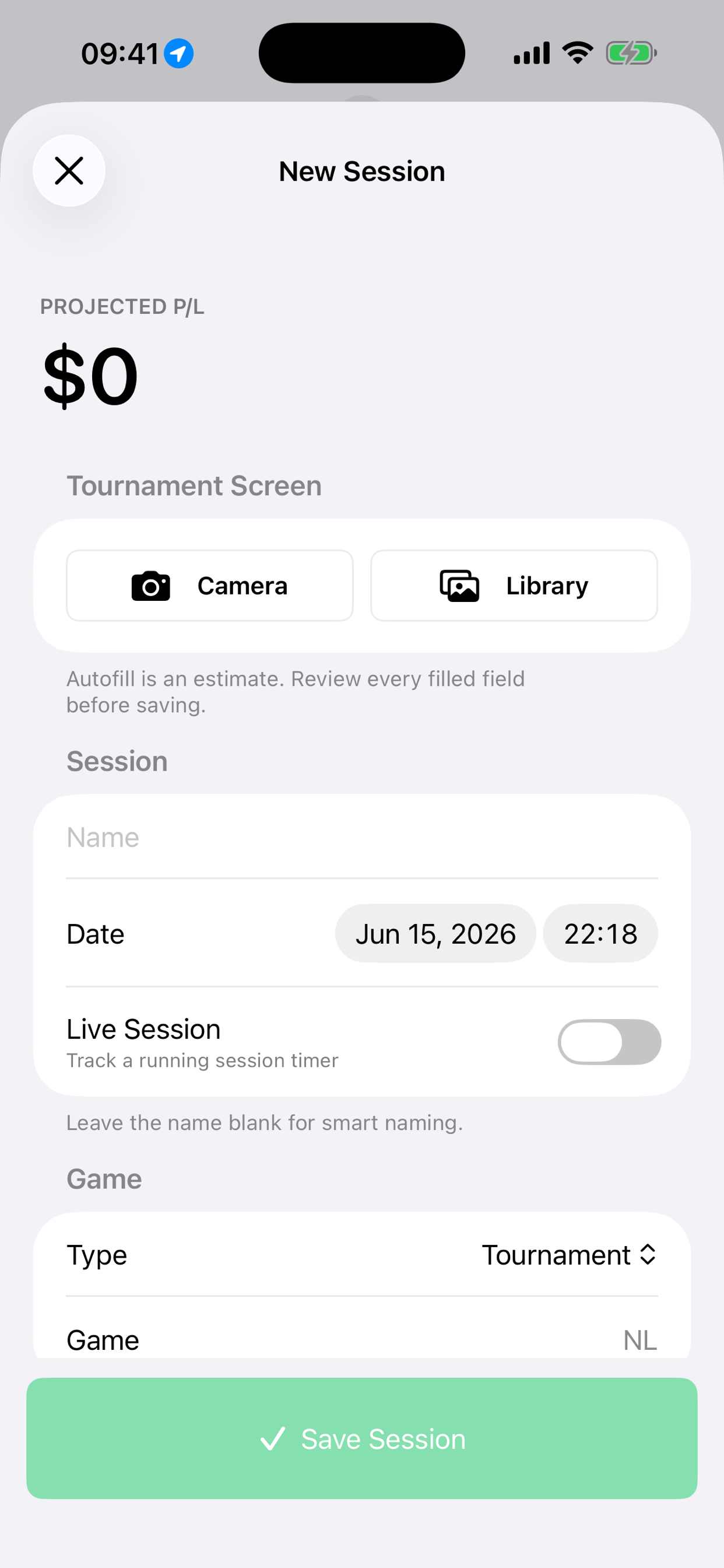
Photo Session Editor
Track every game without limits. Cash games, tournaments, locations, and detailed notes.
Organize sessions your way. Filter and analyze by game type, table conditions, or any custom category.
Migrate from other trackers or export for taxes. Full data portability and backup capabilities.
Track your session right from your lock screen and Dynamic Island. See profit, duration, and hourly rate at a glance.
Photograph a stack and Overbet estimates visible chip counts, values the total, and saves the reviewed count to your live-session timeline.
Start or finish a session from a live-session or tournament screen photo. Overbet reads event details and keeps the source photo with the session.
Monitor your bankroll over time with beautiful charts. See trends, peaks, and valleys at a glance.
Instantly see your best wins, worst losses, longest sessions, and highest hourly rates all in one place.
Your poker ledger, in conversation
Ask for the same filters you use in the app, record a whole break update, or correct a session. Your connected assistant reads and updates your Overbet history.
Use a compatible MCP connection with Grok, Grok Bot, Claude, Cursor, Gemini CLI, OpenAI clients, or another provider. Connection and file features depend on your assistant. Zen and Hide Bankroll also apply to connected chats.
Connect and see every supported action →Start an online tournament with the buy-in and venue you say, using saved defaults for omitted details. Siri can attach your current location when permitted. Find the actions in Settings → Siri & Shortcuts.
Explore Siri in 7.1.0 →Join the players who track every session and know exactly where they stand.
